
Create an API key
Make a key in the app and send it with every request.
Every API request needs an API key. A key belongs to one workspace, and can only see and post to that workspace's channels.
Create the key
Open Developers → API & Webhooks in the app, then click Create key.
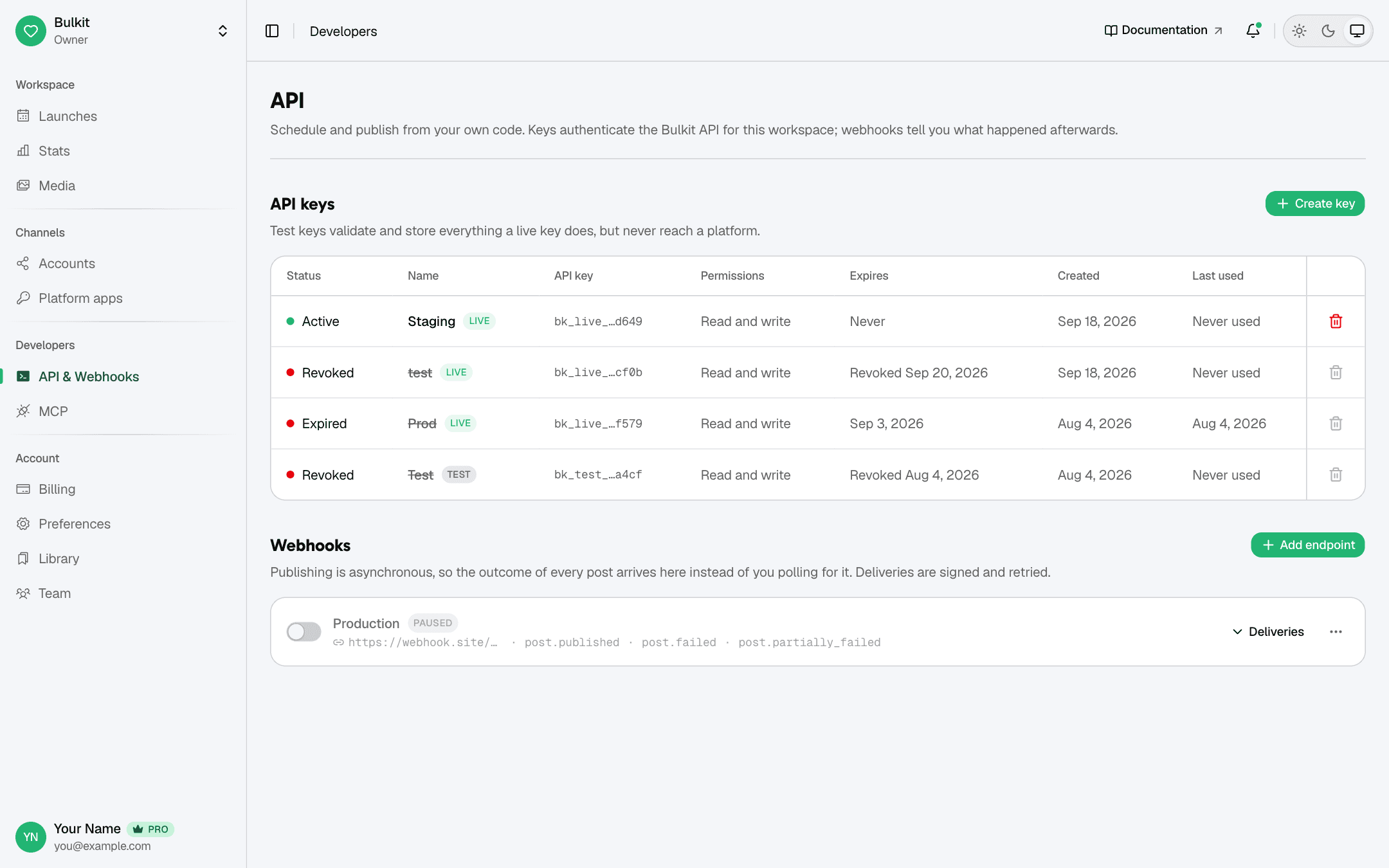
Fill in the form:
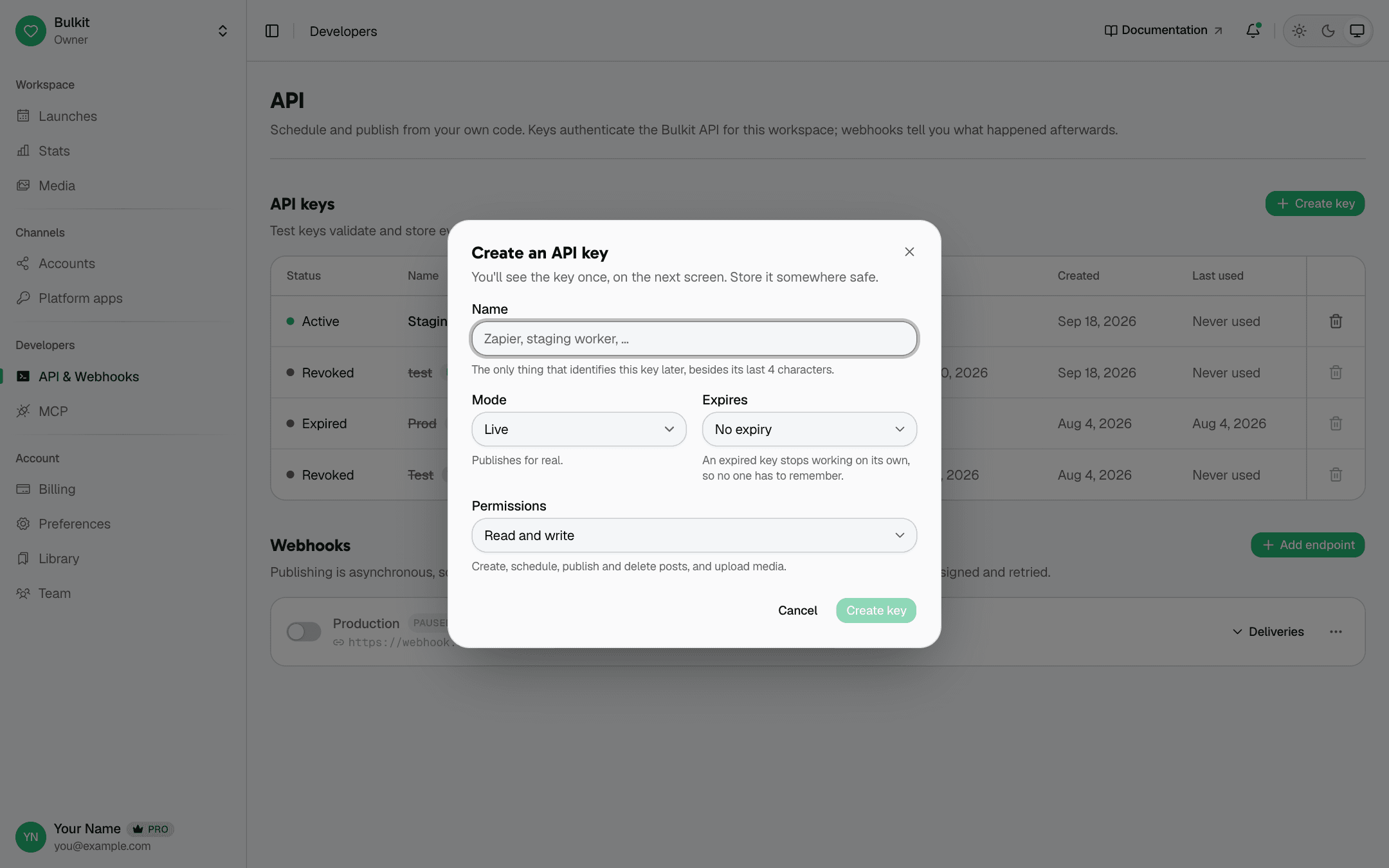
- Name — something that helps you remember where the key is used, like
staging worker. - Mode — Live posts for real. Test checks everything but never posts. See Live and test keys.
- Expires — when the key stops working on its own. Pick a date if you can.
- Permissions — Read and write can create and publish posts. Read only can only read.
Click Create key and copy the key now. It is shown only once. If you lose it, create a new one.
Store it in an environment variable, never in your code:
BULKIT_API_KEY=bk_live_xxxxxxxxxxxxxxxx
BULKIT_URL=http://localhost:3001/public/v1
Which URL do I use?
Bulkit can be self-hosted, so the address depends on your install. All API
routes start with /public/v1. On a local install that is
http://localhost:3001/public/v1. The examples in these docs use
$BULKIT_URL for it.
Send the key
Send the key in one of these two headers. They work the same way.
x-api-key: bk_live_xxxxxxxxxxxxxxxxAuthorization: Bearer bk_live_xxxxxxxxxxxxxxxxTry it — this lists your connected channels:
curl "$BULKIT_URL/channels" -H "x-api-key: $BULKIT_API_KEY"If you get 401, the key is wrong, revoked or expired.
Live and test keys
You can tell them apart by the start of the key:
| Key starts with | What it does |
|---|---|
bk_live_ | Works for real. Posts are published and count towards your plan. |
bk_test_ | Checks and saves your requests exactly like a live key, but never publishes and is not billed. |
Use a test key while you build. You get the same checks and the same errors, without posting to a real account.
A test key never publishes, so it also never sends webhooks.
Read and write permissions
A read only key gets 403 forbidden on anything that changes data. This
includes actions like "publish" and "retract" — they change things, so they
need read and write.
Keep your key safe
- Never put a key in frontend code, a mobile app, or a public Git repo.
- Use a different key for each app or server, so you can revoke one without breaking the others.
- If a key leaks, click the trash icon next to it in the app to revoke it.