
Connect an AI agent (MCP)
Let Claude, ChatGPT, Cursor or any MCP client draft, schedule and publish for you.
Bulkit has an MCP server (Model Context Protocol). It lets AI agents use Bulkit with the same rules as the API: same permissions, same test mode, same plan limits.
The MCP address is your API address plus /mcp:
http://localhost:3001/public/v1/mcpConnect
In the app, open Developers → MCP and pick the app you use. The page shows the exact steps for it.
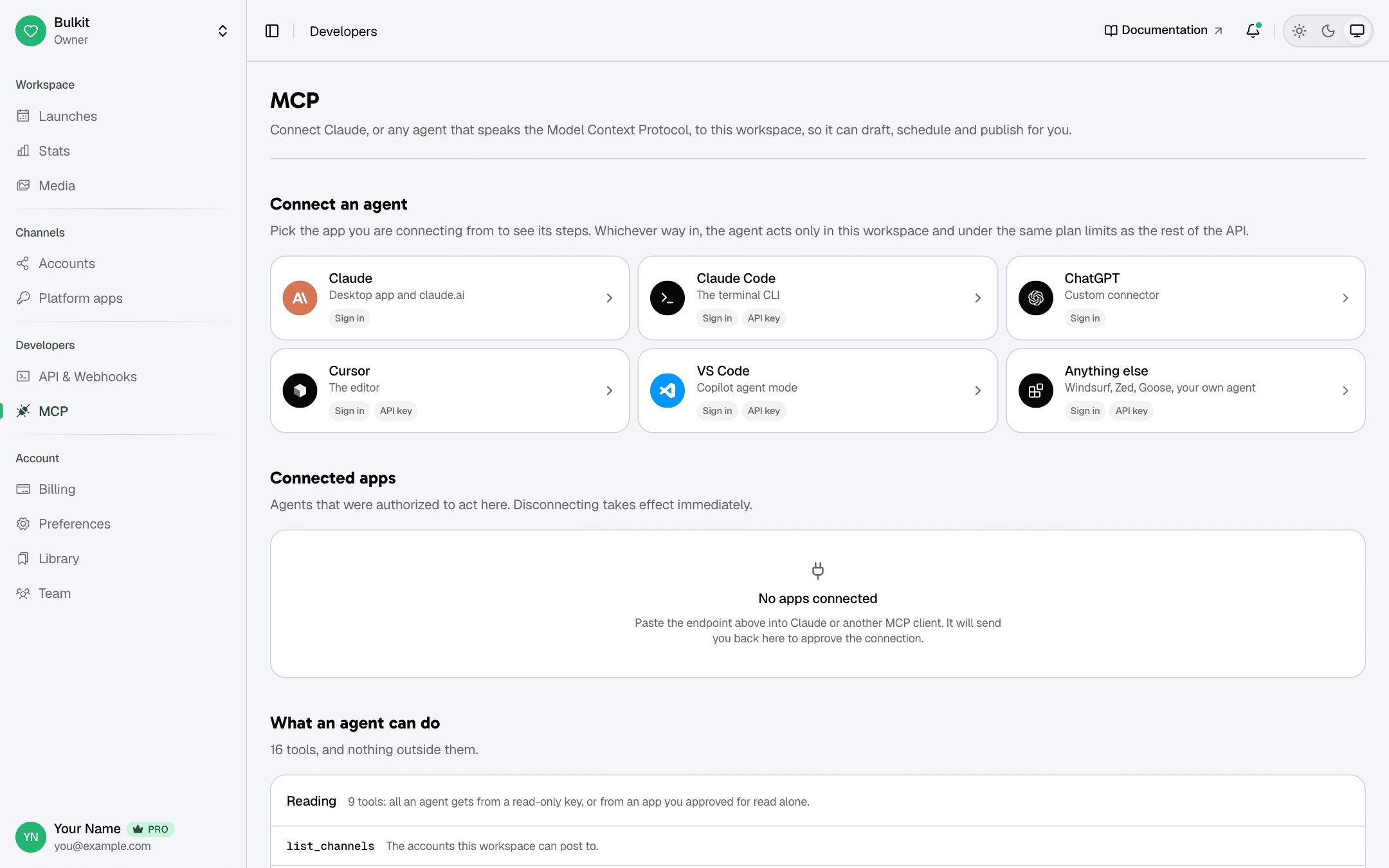
There are two ways to connect:
Best for apps like Claude or ChatGPT.
- Paste the MCP address into your app as a new remote MCP server / connector.
- The app sends you to Bulkit. Pick a workspace and approve.
- Done — no key to copy.
You can disconnect the app at any time under Connected apps on the MCP page.
Best for tools that let you set a header, like Claude Code, Cursor or VS Code. Create an API key first.
claude mcp add --transport http bulkit http://localhost:3001/public/v1/mcp \
  --header "Authorization: Bearer bk_live_xxxxxxxxxxxxxxxx"
What the agent can do
The agent can only use these tools. Their inputs are the same as the API request bodies.
| Tool | Does the same as |
|---|---|
list_channels | GET /channels |
list_platforms | GET /platforms |
list_tags | GET /tags |
list_posts | GET /posts |
get_post | GET /posts/{id} |
get_post_metrics | GET /posts/{id}/metrics |
list_comments | GET /posts/{id}/comments |
list_media | GET /media |
get_stats | GET /stats |
get_usage | GET /usage |
upload_media_from_url | POST /media, from a public link |
create_post | POST /posts |
update_post | PUT /posts/{id} |
publish_post | POST /posts/{id}/publish |
revise_post | POST /posts/{id}/revise |
reply_to_comment | POST /posts/{id}/comments/{commentId}/replies, posts publicly |
retract_post | POST /posts/{id}/retract — deletes live posts |
delete_post | DELETE /posts/{id} |
The MCP page in the app always shows the current full list.
- A read only key (or an app approved for read only) only gets the read tools.
- Agents can add media from a public link (
upload_media_from_url), but not a file on your computer. Upload those withPOST /mediaor in the app first, then the agent can use them. - A good agent shows you each comment reply and asks before posting it. Each reply counts as one post. See Read and reply to comments.