
Vimeo app
Create a Vimeo app and request upload access so Bulkit can upload videos.
Ask for upload access early
Vimeo staff grant upload access per app, and it can take up to five business days. Until then, connecting works but every upload is refused.
Create the app
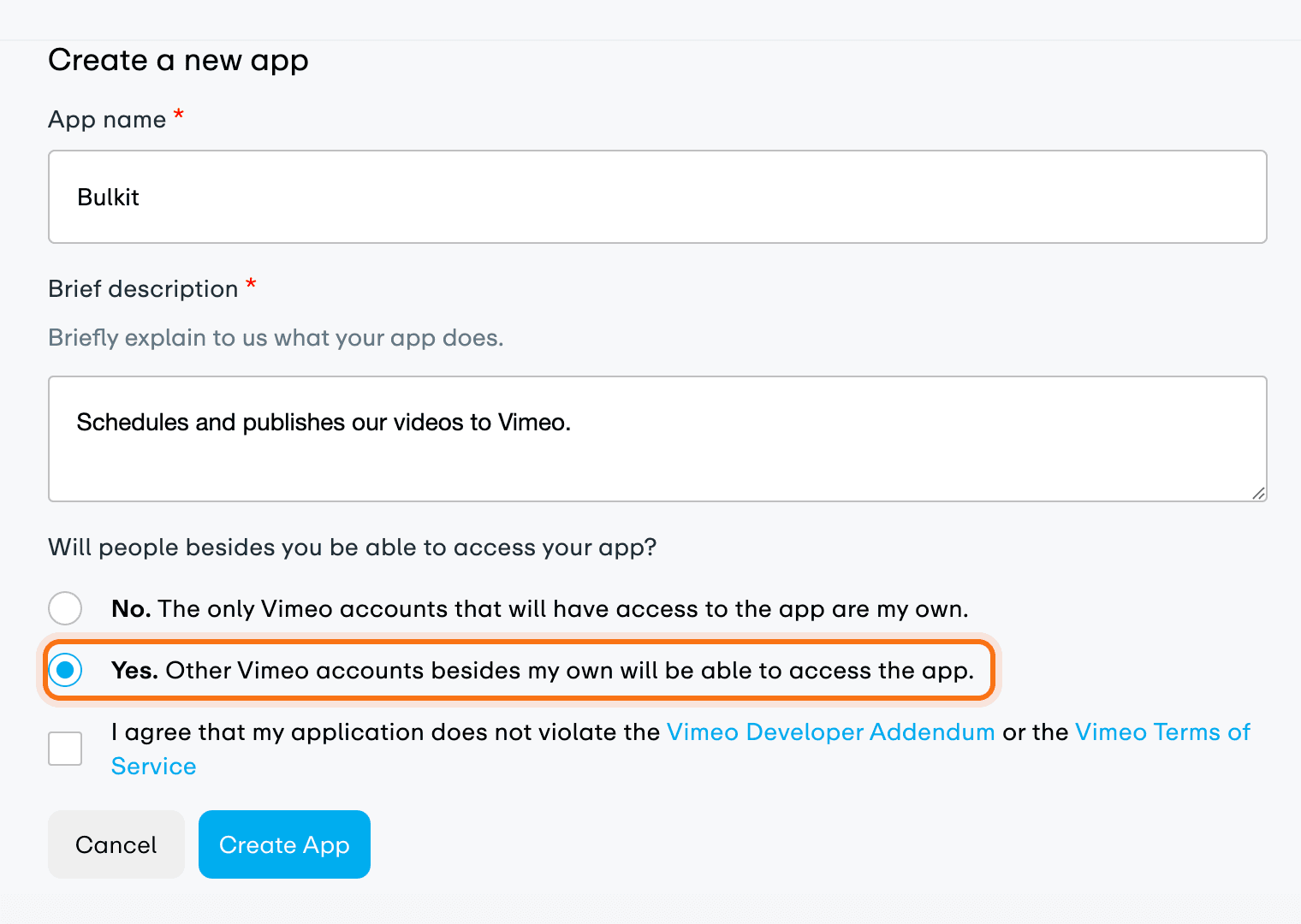
Go to developer.vimeo.com/apps and click Create an app. Give it a name and description. When asked if people other than you will access the app, answer Yes. Accept the terms.
Add the redirect URI
On the app's page, scroll to OAuth Redirect Authentication. Under Your
callback URLs, click Add URL + and paste the redirect URI from Bulkit (like
https://api.bulkit.io/integrations/VIMEO/callback).

Request upload access
On the same page, under Permissions → Upload Access, click Request upload access and fill in the form. Once sent, it shows "Your upload request is being reviewed".

Copy the keys into Bulkit
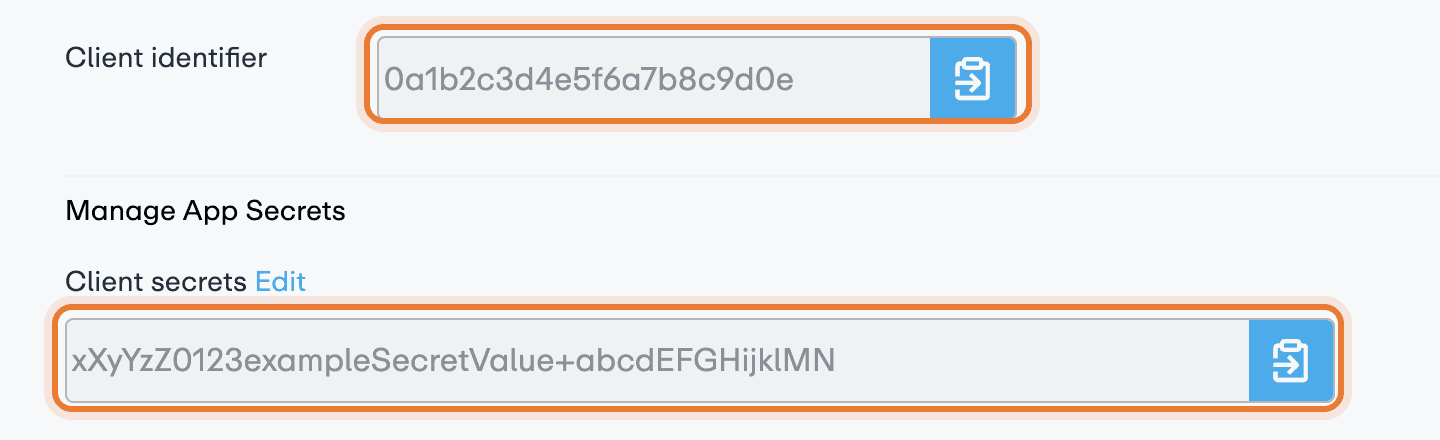
Copy the Client identifier from the top of the page, and a Client secret from Manage App Secrets. Paste them into Channels → Platform apps → Vimeo in Bulkit.
Connect an account
In Bulkit, open Channels → Accounts → Connect account → Vimeo.
Good to know
- The Vimeo login never expires, so you don't need to reconnect.
- Unlisted videos, downloadable videos and analytics need a paid Vimeo plan on the connected account.